I don't know if it happens to me only due to my complex source control configuration (which uses SSH keys like Github), but it happens quite often to me that the release process gets stuck right when it's time to push changes.
When this happens you are left with almost no choice but to perform a release:rollback and start again, but today I've found a good solution to this problem: git reset.
So, if your release preparation process is interrupted for some reason and you want to restart it again, but when you try you get a message saying the git commit command failed, then just do the following:
git reset --soft HEAD~1
This command will remove the commit from your local clone leaving all the Maven changes intact, thus allowing you to recover the process where you left it.
Have fun!
Friday, October 26, 2012
Git and Maven release:prepare

Thursday, October 25, 2012
Jacoco code coverage tool
Today I discovered with great pleasure a great project for gathering unit, integration and automation tests code coverage: Jacoco!
I was so excited that I decided to give it a try on my template Maven project and the POM went down 150 lines with greatly improved readability!
No more tricky profiles or instrumented artifacts you need to include explicitly and solely to gather coverage: everything works like a charm!
Obviously my previous post regarding Cucumber tricks is still totally valid.
Thanks Jacoco!
Thursday, October 18, 2012
Gherkin syntax quicksheet
I found an interesting article containing a nicely presented and very well described Gherking syntax guide and I want to support it.
Wednesday, October 17, 2012
Embedding screenshots in Cucumber JVM
I was trying to improve our automated test suite and I thought that it could be useful to capture a screenshot of the browser whenever a test fails.
The current Cucumber JVM implementation highly simplifies this task, but the task is not achieved the way I thought, so this is the reason for this post.
Normally you would use a JUnit TestRule to augment all your test cases with a feature to take screenshots, but for Cucumber JVM it's much easier thankfully to the Execution Hooks:
 public class ScreenshotHook {
     @Autowired
     private WebDriver driver;

     @After
     public void embedScreenshot(Scenario scenario) {
         if (scenario.isFailed()) {
             try {
                 byte[] screenshot = ((TakesScreenshot) driver).getScreenshotAs(OutputType.BYTES);
                 scenario.embed(screenshot, "image/png");
             } catch (WebDriverException wde) {
                 System.err.println(wde.getMessage());
             } catch (ClassCastException cce) {
                 cce.printStackTrace();
             }
         }
     }
 }
As you can see I'm injecting the WebDriver instance (I'm using the Cucumber JVM Spring integration) and defining an embedScreenshot method which is annotated with cucumber.annotation.After: this is the important bit because methods annotated as such will be executed after each cucumber scenario.
For sake of completeness I want to tell you there is another hook cucumber.annotation.Before that can be used for things like logging into your application eliminating those repetitive log in steps.
UPDATE: Scenario was ScenarioResult in pre 1.0.0 versions of Cucumber JVM.
Tuesday, October 16, 2012
Agile and the Definition of Quality
If you are interested in software quality, if you want to improve your agile process output, if you like to have satisfied customers you want to read this article and, after reading it once, you might want to read it a second time: what he's saying is not obvious at all.
Wednesday, October 10, 2012
Selenium tests on Jenkins
It's not uncommon to have a CI server running tests based on Selenium and it's not uncommon to get in troubles with Linux headless (without a windows manager) servers.
Error: no display specifiedor
Error: cannot open display: :0.0
The following is what I think is a solution that should be portable and does not require a lot of configuration skills.
First of all you need to install the Jenkins Xvfb Plugin, which allows you to easily start a new virtual screen per Jenkins job. Please do not forget to properly configure this plugin in the Jenkins System Configuration screen as described in the plugin page: if you don't know the path of the Xvfb executable you just run the following command in a shell on your CI server
which XvfbUsually the value you will use as Directory in which to find the Xvfb executable is /usr/bin.
Once you have this you just need to activate the Xvfb plugin for your job and that should be it, without any modification in your POMs or any other hassle: the plugin will create a new virtual screen, set the DISPLAY environment variable and execute your build.
If you are using the FirefoxDriver, as I do, and you still have issues, but you can see in your output lines like the following ones, then your problems are not any longer related with being on a headless server and my suggestion is to ensure you are using the latest version of the selenium drivers:
Xlib:  extension "RANDR" missing on display ":32".
failed to create drawable
*** LOG addons.xpi: startup
*** LOG addons.xpi: Ignoring file entry whose name is not a valid add-on ID: /tmp/.../webdriver-staging
*** LOG addons.xpi: checkForChanges
*** LOG addons.xpi: No changes found
Please note the initial two lines are perfectly fine and not related to your issues!
I struggled with an error which actually went away right after I updated my selenium-java dependency to the current latest!
Thursday, August 30, 2012
A few Cucumber tricks
I've been a fan of TDD since I discovered it a few years ago. Thankfully to my friend and colleague Augusto a few months ago I've discovered the
beauty of BDD and ATDD: I got so fascinated by this practice I started
an Open Source project for an Eclipse plugin featuring a rich editor
for Cucumber feature files. It's called Natural and I think it's pretty cool if you want to check it out.
After having used Cucumber for a while and many, many mistakes I now have got some experience
I wish to share with you.
One of the key features of feature files is that they
represent a live project documentation, something developers write
and maintain and everyone can understand. We believe so much in this concept that we wanted to give our product owner and business partners a nice view on those files, that's why we used Relish to publish them in a pretty colored format. At the same time we had to
face some problems while practically use these files for automation
testing.
After a few development cycles we were so excited by Cucumber and ATDD
that our automation test suite counted hundreds of tests: it was
consuming too much time to be completely executed on each commit by
our CI system.
My suggestion is to track in your feature files the development cycle each test has been developed: this can be easily achieved by using a
tag, something like @sprint-7.
This way you can instruct your CI
system to execute the current sprint automation on each commit and
schedule a full test nighttime (and launch time possibly).
Another issue was we were developing automation test before the
functionality was implemented, so following TDD principles. By doing
this our CI was reporting a build failure until the functionality was
completely implemented. This is not a problem as it is expected to have failing
tests during development, but the continuous failure messages received
by the team members brought us to the point we were starting to ignore
those messages, vanquishing the purpose of the automation suite and
the CI system itself. The solution I suggest is to temporarily
annotate the tests that are expected to fail with @future, instructing
your CI to skip any test annotated as such: the developers can still
execute those tests, but the CI will just ignore them. Once a feature is completed it will be developer's responsibility to remove such annotation.
With hundreds of tests we had problems in having the tests properly
organized so here comes the folder structure and naming convention.
Please consider those files not as test, but as your application
documentation: as such you want to organize then in a manner they are
easily accessible by a business person. My suggestion is to organize the
tests in files describing different features, grouping the features
into folders representing functional areas. Considering company search and report search capabilities I can imagine a search.feature and an advanced-search.feature, both inside a company folder and the same file names in a report folder.
Defect and user stories tracking, if desirable, can be once again achieved by using tags like @US1234 and @DE9876, but I would rather avoid cluttering the feature files with such information as they will tend to distract a business person from the real value of those files: application documentation.
Automation test coverage is a report we found business users find quite valuable, but it was tricky to achieve considering our application was a web one. Nevertheless we managed to have it running on our CI thankfully to Maven and its amazing set of plugins.
I've prepared a template Maven project for those reading this post to use as a starting point and guideline if you like the solutions we adopted: it will definitely help me in the future to avoid redoing all the steps from scratch! Please, read the README file before asking for clarifications :-)
Thursday, February 23, 2012
Maven POM version management
A friend and colleague pointed me to a great Maven plugin I wasn't aware of and that is probably going to save me some headaches: the Codehaus hosted versions-maven-plugin brings to Maven users some very nice functionality!
I'm not going to copy here the full documentation, but just to make you wishing more, here is the goals list:
- versions:compare-dependencies compares the dependency versions of the current project to the dependency management section of a remote project.
- versions:display-dependency-updates scans a project's dependencies and produces a report of those dependencies which have newer versions available.
- versions:display-plugin-updates scans a project's plugins and produces a report of those plugins which have newer versions available.
- versions:display-property-updates scans a projectand produces a report of those properties which are used to control artifact versions and which properies have newer versions available.
- versions:update-parent updates the parent section of a project so that it references the newest available version. For example, if you use a corporate root POM, this goal can be helpful if you need to ensure you are using the latest version of the corporate root POM.
- versions:update-properties updates properties defined in a project so that they correspond to the latest available version of specific dependencies. This can be useful if a suite of dependencies must all be locked to one version.
- versions:update-child-modules updates the parent section of the child modules of a project so the version matches the version of the current project. For example, if you have an aggregator pom that is also the parent for the projects that it aggregates and the children and parent versions get out of sync, this mojo can help fix the versions of the child modules. (Note you may need to invoke Maven with the -N option in order to run this goal if your project is broken so badly that it cannot build because of the version mis-match).
- versions:lock-snapshots searches the pom for all -SNAPSHOT versions and replaces them with the current timestamp version of that -SNAPSHOT, e.g. -20090327.172306-4
- versions:unlock-snapshots searches the pom for all timestamp locked snapshot versions and replaces them with -SNAPSHOT.
- versions:resolve-ranges finds dependencies using version ranges and resolves the range to the specific version being used.
- versions:set can be used to set the project version from the command line.
- versions:use-releases searches the pom for all -SNAPSHOT versions which have been released and replaces them with the corresponding release version.
- versions:use-next-releases searches the pom for all non-SNAPSHOT versions which have been a newer release and replaces them with the next release version.
- versions:use-latest-releases searches the pom for all non-SNAPSHOT versions which have been a newer release and replaces them with the latest release version.
- versions:use-next-snapshots searches the pom for all non-SNAPSHOT versions which have been a newer -SNAPSHOT version and replaces them with the next -SNAPSHOT version.
- versions:use-latest-snapshots searches the pom for all non-SNAPSHOT versions which have been a newer -SNAPSHOT version and replaces them with the latest -SNAPSHOT version.
- versions:use-next-versions searches the pom for all versions which have been a newer version and replaces them with the next version.
- versions:use-latest-versions searches the pom for all versions which have been a newer version and replaces them with the latest version.
- versions:commit removes the pom.xml.versionsBackup files. Forms one half of the built-in "Poor Man's SCM".
- versions:revert restores the pom.xml files from the pom.xml.versionsBackup files. Forms one half of the built-in "Poor Man's SCM".
Friday, July 8, 2011
IE 8 and CSS: localhost vs rest of the world
Ok, I have to admit it, I'm not a big fan of Microsoft, but this time they really made me nuts!
One of the most common answer a software developer give against a defect is "it works on my machine" and we all know this is not really true as usually the answer should be "I didn't test this scenario", but this is not the case.
Yesterday I was trying to fix a layout problem in an HTML popup and I thought I had it sorted I then pushed the change into the team repository and the CI system had it built and deployed, but when the tester gave it a try.... it wasn't sorted. After 6 hours of research this is what I came to: Internet Explorer 8 switches between IE8 mode and IE7 mode depending if you are accessing the resource on localhost or with another name/address!
Let me make it a little more clear. Write a simple HTML page, the content does not really matter, and put it into any web server you like, I was using JBoss, but it doesn't really matter, the only thing you need is the ability to access the page both as localhost and with your IP address (this means that you have to start JBoss with -b 0.0.0.0).
Now open IE8 and access that page using localhost, when it is loaded press F12 to load the Developer Tools and look at the last element in the menu bar, it should be like in the following picture:

Close both windows and repeat the same process but using your IP address in the URL, the result should be the following:
 This is magic! It took me 6 hours to figure out what was the problem!
And if you are trying to layout stuff in a DIV using CSS, this small Document Mode change can make a huge difference in what it's rendered on the screen!
So imagine you, as a developer, see your code working as you expect, you push your changes and suddenly the page seems to appear wrong, again, and again, and again.... All the files are perfectly the same, on your machine and on the server you are checking against.... but what you see is different!
Thank you again Microsoft, now we can really trust our work. When it comes to IE8, the What You See Is What You Get paradigm is completely fulfilled!
Thursday, September 2, 2010
Subversion and "Could not authenticate to server"
Yesterday I was trying to release the latest stable version of the dbUnit project through Maven and I lost some time trying to solve a stupid problem with Subversion: everytime I ran the mvn release:prepare command I got an error saying I wasn't able to authenticate to the Sourceforge SVN server.
As I was previously more than able to release the project through this same exact procedure I think the very source of the problem was the upgrade of the Subversion client. This operation infact made the project checkout directory incompatible with the command line client I was using since my last release and I decided to upgrade to the latest 1.6 version of Subversion CLI.
Everything was working fine but I forgot something: suversion command line tools caches the user credentials and the Maven release goal is performed in an unattend fashion!
If you encounter such a problem I suggest you issue the following command providing your credentials when prompted:
svn lock
In my case the command was:
svn lock https://dbunit.svn.sourceforge.net/svnroot/dbunit/trunk/dbunit/pom.xml
This should prompt you for credentials which will be cached by the SVN client.
Do not forget to unlock the file issuing the unlock command, or none else will be able to commit on that file anymore!
svn unlock
Sunday, August 29, 2010
Development Environment
This is the set of tools available to the development team, all configured for authentication against the corporate LDAP:
- Artifactory is the maven repository mirror and corporate artifact repository;
- Subversion behind Apache Web Server serves as source code management;
- Apache Continuum behind the usual Apache Web Server runs continous integration build and testing using the projects Maven and Ant configurations;
- Redmine revealed itself as the perfect solution for project issue and time tracking with the addition of internal documentation;
- source code analysis, code test coverage and code quality in general is available through Sonar;
- performance issues are found through the HypericHQ monitoring system, whose reports are available to the system administrators too;
- Eclipse is the choosen IDE supported by this minimum plugins set.
Monday, May 31, 2010
java.util.Calendar and last, not exactly, day of month
Consider the following code :
Calendar calendar = Calendar.getInstance();
calendar.set(Calendar.YEAR, 2009);
calendar.set(Calendar.MONTH, Calendar.FEBRUARY);
calendar.set(Calendar.DAY_OF_MONTH, calendar.getActualMaximum(Calendar.DAY_OF_MONTH));
return calendar.getTime();
What's strange or wrong with this? This code looks correct at first look and expected
result should be 28 Feb 2009. Unfortunately it's not always so!!
Suppose to run the above code on 31-May-2009 at 12:00 AM, the result will be 3 Mar 2009!
The reason have to be found on lenient Calendar mechanism. This Calendar property, infact, by default is set to true and doesn't throw any kind of Exception when time interpretation is not correct.
This is javadoc about it:
When a Calendar is lenient, it accepts a wider range of field values than it produces. For example, a lenient GregorianCalendar interprets MONTH == JANUARY, DAY_OF_MONTH == 32 as February 1. A non-lenient GregorianCalendar throws an exception when given out-of-range field settings. When calendars recompute field values for return by get(), they normalize them. For example, a GregorianCalendar always produces DAY_OF_MONTH values between 1 and the length of the month.It means that,in our case, if we really want to get the last day of month, we have to
write this simple code:
Calendar calendar = Calendar.getInstance();
calendar.set(Calendar.YEAR, 2009);
calendar.set(Calendar.MONTH, Calendar.FEBRUARY);
calendar.set(Calendar.DAY_OF_MONTH, 1);
calendar.set(Calendar.DAY_OF_MONTH, calendar.getActualMaximum(Calendar.DAY_OF_MONTH));
return calendar.getTime();
and however, it's not a so bad idea, sometimes, to set lenient property to false and getting an IllegalArgumentsException, always better then abnormal runtime behavior.
Hope it can be helpful.
Tuesday, May 25, 2010
Five reasons to hate DTOs
I finally came to it: I hate Data Transfer Objects.
- whenever you have to return or receive an object you must always copy it using almost double heap memory than normal (yeah, I know it's not really double, but it is something near it)
- if you should return or receive a complex structure you have two choices: deep copy the structure or use multiple interactions, in both cases you are loosing heap space and processing time
- almost any change to the business model interfaces will be reflected on the transfer objects AND on the code which maps the two (the latter does not apply in case you use introspection which is slower and lesser customizable) more than doubling the maintenance time and is error prone
- programmers tend to confuse the difference between model objects and DTOs adding utility methods to the former and business logic to the latter
- if in certain situations you need additional info on the client side from a returned DTO you have two choices: embed a service call into the DTO (which hides the complexity but expose to a performance hit as your users don't know they are starting another interaction) or call another service to obtain the additional infos (which adds complexity to your service interface)
- if you need to return or receive almost all the informations stored in your business model object just do it, return or receive your business model object
- whenever you need to return a DTO, may be to reduce the informations providen by hiding some properties/methods, return an interface which your business model object will implement
- whenever you need to receive a DTO you have two choices: use a business model object ancestor or use a business model object component; the choice depends on your business model design, if you are used to build by composition or inheritance
- when you need to return a complex structure just initialize the structure before returning it (this is needed to avoid lazy initialization errors)
Wednesday, April 14, 2010
Password meter
It's a good and recent practice to place a password strenght meter on registration forms, something like the one depicted below.

Friday, February 12, 2010
Test Environment: OpenSSO + JBoss + WSO2 ESB + Liferay
The architecture is the following:
- JBoss 4.2 or 5.1 (the choice is delayed)
- OpenSSO 8
- WSO2 ESB
- Liferay 5.2
The installation is easy, just deploy the opensso.war inside the tomcat/webapps folder, giving Tomcat one gigabyte of memory (add JAVA_OPTS=-Xmx1024m in catalina.sh) and a fully qualified domain name to the host running tomcat (sso.smartlab.net alias for 127.0.0.1 in /etc/hosts). On first access to the http://sso.smartlab.net/opensso url (it's very important you use the fully qualified domain name on your first access as it's used for configuration) I simply ran the Default Configuration (suggested for test environments only) which requires just two passwords: the amAdmin credentials will be used to access the administration console while the amAgent credentials will be used .
After I installed the OpenSSO policy agent on top of JBoss 4.2. First of all you need to create the J2EE policy agent profile in OpenSSO. To perform this you have to access the OpenSSO administration console (username amAdmin, password the one you specified during initial configuration) and follow the official instructions replacing the informations providen there with your test environment infos; mine were:
- Name : JBoss
- Server URL : http://sso.smartlab.net:8080/opensso
- Agent URL : http://test.smartlab.net:8180/opensso-agent
I'm just performing an initial test of the architecture so I'm cloning the server/default folder of my JBoss 4.2 installation to server/sso, cleaning it up from previous work and editing the deploy/jboss-web.deployer/server.xml to switch the connector ports to 8180 (HTTP) and 8109 (AJP).
I unzipped the JBoss Policy Agent 3.0 package (unpacked in /opt/jboss/opensso removing the messing directory structure j2ee_agents/jboss_v42_agent) then I created a file with the agent password
$> echo "agent password" > /opt/jboss/opensso/agent.pwd
then I ran the bin/agentadmin script using this informations:
- JBoss Server Config Directory : /opt/jboss/server/sso/conf
- JBoss Server Home Directory : /opt/jboss
- OpenSSO server URL : http://sso.smartlab.net:8080/opensso
- Agent URL : http://test.smartlab.net:8180/opensso-agent
- Agent Profile name : JBoss
- Agent Profile Password file name : /opt/jboss/opensso/agent.pwd
- Agent permissions gets added to java permissions policy file : false
- rename the deploy/agentapp.war file to deploy/opensso-agent.war because I used a non standard name;
- change the jboss/bin/run.sh script because the suggested procedure to add the agent classpath wasn't good for my environment; I used this script excerpt in place of the suggested one (please note that this excerpt need you to change the first line of run.sh from #!/bin/sh to #!/bin/bash.
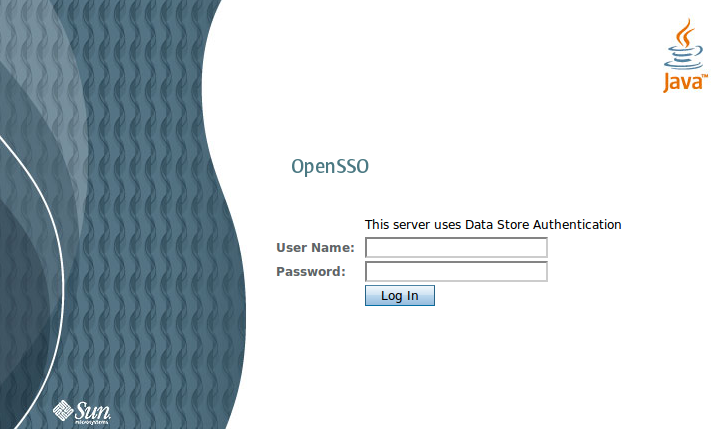 I then ran my JBoss test instance with /opt/jboss/bin/run.sh -c sso and everything seems working: I tested it trying to access the http://test.smartlab.net:8180/opensso-agent application being redirected to the OpenSSO login page on http://sso.smartlab.net/opensso.
The last test was about securing the JBoss JMX Console through OpenSSO. The activity required me to:
- add this snippet to the deploy/jmx-console.war/WEB-INF/web.xml file
- add this snippet to the deploy/jmx-console.war/WEB-INF/jboss-web.xml file
Ok, then let's try to log into the JBoss JMX Console, but with which credentials?!? On my first try I used the OpenSSO Administration Console superuser credentials (amAdmin/adminadmin) but I encountered a redirection loop failure thus discovering my setup wasn't ready yet. Googling a little bit I discovered this error can be simply solved adding an addition parameter for the JVM to the Tomcat configuration: JAVA_OPTS="$JAVA_OPTS -Dcom.iplanet.am.cookie.c66Encode=true".
Solved the problem and going back to the JMX Console I got a 403 (resource forbidden) error and after some investigations I discovered the easiest solution was to tell OpenSSO to simply apply a limited policy of type SSO_ONLY (Access Control > Top Level Realm > Agents > J2EE > JBoss > General add a jmx-console=SSO_ONLY map entry).
In the near future I wish to try the usage of the OpenID 2 standard on OpenSSO, I've found some instructions on another blog but I hadn't the time to investigate yet.

Friday, February 5, 2010
Redmine Installation on Ubuntu 9.04
First of all I installed the gem and ruby packages from the Ubuntu repos:
sudo apt-get install rubygems ruby
I decided to perform te remaining installation steps from gem (which, by the way, is a good tool to install ruby packages, something like apt):
sudo gem install rails
sudo gem install rake
sudo gem install rack -v=1.0.1
By default Redmine runs on top of mySQL, but I prefer PostgreSQL as RDBMS so I followed the Redmine wiki instructions to configure PostgreSQL as backend.
sudo gem install pg
Here I got the first problem as a native library I haven't installed on my PC was required, but the outputted message was unclear: something regarding a missing pg_config parameter or command.
After some search I discovered pg_config is a command line utility available through the Ubuntu repositories, so the problem is easily solved running:
sudo apt-get install libpq-dev
Now the previous installation command should finish properly and you can continue with the instructions available on the Redmine wiki.
Once started the WEBrick server I started playing with the web application but I encountered another problem: the OpenLDAP integration. I entered all the parameters in the fields and get a succesfult connection test but I was unable to log into the system with OpenLDAP accounts: I discovered the problem was I entered too much informations in the LDAP Authentication definition!
Strange but solving: in the Redmine LDAP Authentication definition page you MUST NOT insert any credentials (I was erroneusly populating those fields with LDAP administrator credentials) but leave those fields blank and voilà, LDAP integration works!

Monday, November 16, 2009
JBoss 4 on CentOS 5
1. create a jboss user with the command
useradd --system -d /your/jboss/root/dir jboss
2. copy the init script already available in the jboss distribution into the /etc/init.d folder with the command
cp /your/jboss/root/dir/bin/jboss_init_redhat.sh /etc/init.d/jboss
3. alter the /etc/init.d/jboss file to match with the CentOS 5 SELinux distribution feature changing the line
SUBIT="su - $JBOSS_USER -c "
to the equivalent SELinux of su
SUBIT="runuser - $JBOSS_USER -c "
4. ensure the jboss user is capable of read and writing all the files in it's home folder executing the command
chown jboss.jboss /your/jboss/root/dir -Rf
chmod u+rw /your/jboss/root/dir -Rf
5. (optional) ensure the deployers are capable of read and writing all the files in the jboss server dirs
chown jboss.devel /your/jboss/root/dir/server -Rf
chmod g+rws /your/jboss/root/dir/server/ -Rf
6. (optional) ensure the jboss server is listening on the correct address specifing the -b option on startup changing the /etc/init.d/jboss script adding the bolded line (the non bolded line is placed as a positional reference):
JBOSS_HOME=${JBOSS_HOME:-"/usr/local/jboss"}
JBOSS_HOST=0.0.0.0
Thursday, October 15, 2009
EJB 2.x maximum performances and flexibility: abstract from Remote vs Local
In EJB 2.x you need to write the following classes/interfaces to support both remote and local deployment:
- public class MyComponentBean implements javax.ejb.SessionBean
- public interface MyComponentRemoteHome extends javax.ejb.EJBRemoteHome
- public interface MyComponentRemote extends javax.ejb.EJBObject
- public interface MyComponentLocalHome extends javax.ejb. EJBLocalHome
- public interface MyComponentLocal extends javax.ejb.EJBLocalObject
public class MyComponentServiceLocator {
   public final static String MY_COMPONENT_LOCATION = "ejb/myComponent";

   public static MyComponentLocal getLocal(Properties properties) throws Exception {
       InitialContext context = new InitialContext(properties);
       MyComponentLocalHome home = (MyComponentRemoteHome)context.lookup(MY_COMPONENT_LOCATION + "/local");
       return home.create();
   }
   public static MyComponentRemote getRemote(Properties properties) throws Exception {
       InitialContext context = new InitialContext(properties);
       MyComponentRemoteHome home = (MyComponentRemoteHome)context.lookup(MY_COMPONENT_LOCATION + "/remote");
       return home.create();
   }
}
With this approach you can switch from local to remote just switching from MyComponentServiceLocator.getLocal(...) to MyComponentServiceLocator.getRemote(...) on every place you need to switch, but in addition you need to switch the type you declared for the variable to which you are going to assign the MyComponentServiceLocator call result: from MyComponentLocal to MyComponentRemote.
In addition you need to manually track down all interfaces are exposing the same methods.
Wouldn't it easier if we can have some sort of automatic check and avoid the need to switch the code? Couldn't be possible to switch between local and remote at deployment time without any change at compile time?
Well, the answer is in the following structure:
- public interface MyComponent
declares all shared functional methods, each method will throws java.rmi.RemoteException in addition to any exception it should normally throw - public interface MyComponentHome
declares all shared creation methods throwing both java.rmi.RemoteException and javax.ejb.CreateException - public class MyComponentBean implements javax.ejb.SessionBean, MyComponentRemote, MyComponentLocal
the MyComponentRemote and MyComponentLocal interfaces have been added here to ensure the implementation class provides code for all the declared methods: be careful, all methods must not throw java.rmiRemoteException - public interface MyComponentRemoteHome extends javax.ejb.EJBRemoteHome, MyComponentHome
the MyComponentHome interface has been added here to ensure all shared creation methods are supported by the remote home: if all the remote creation methods are shared than this interface will be completely empty! - public interface MyComponentRemote extends javax.ejb.EJBObject, MyComponent
the MyComponent interface has been added here to ensure all the shared methods are supported through the remote interface: if all the remote methods are shared than this interface will be completely empty! - public interface MyComponentLocalHome extends javax.ejb. EJBLocalHome, MyComponentHome
the MyComponentHome interface has been added here to ensure all shared creation methods are supported by the local home: all methods defined in the MyComponentHome interface must be overriden here to remove the java.rmi.RemoteException declaration; if you forget this step your application server should warn you when you deploy this EJB. - public interface MyComponentLocal extends javax.ejb.EJBLocalObject, MyComponent
the MyComponent interface has been added here to ensure all shared methods are supported through the local interface: all methods defined in the MyComponent interface must be overriden here to remove the java.rmi.RemoteException declaration; if you forget this step your application server should warn you when you deploy this EJB.
- one place for shared creation methods: if you add a method to MyComponentHome interface you automatically get it on the remote home and if you forget to override it in the local home (to remove the java.rmi.RemoteException) your application server will warn you on your first deployment;
- one place for shared functional methods: if you add a method to MyComponent interface you automatically get it on the remote interface and if you forget to override it in the local interface (to remove the java.rmi.RemoteException) your application server will warn you on your first deployment;
- your clients will no more have to deal with remote or local differences as they will use the MyComponent interface (unless they need some methods not available on both interfaces)
- you can still produce different interfaces for local and remote deployments;
- your implementation will always implement the required methods;
- you can switch between local and remote deployment using the ejb-ref directive (in your web.xml or in your ejb.xml)
- you can have a ServiceLocator like the following one which completely masks the remote vs local
public class MyComponentServiceLocator {
   public final static String MY_COMPONENT_LOCATION = "ejb/myComponent";
   public static MyComponent get(Properties properties) throws NamingException, CreateException, RemoteException {
        InitialContext context = new InitialContext(properties);
        MyComponentHome home = (MyComponentHome)context.lookup("java:comp/env/" + MY_COMPONENT_LOCATION);
        return home.create();
   }
}
If you don't want to deal with the ejb-ref at all you can consider the following ServiceLocator implementation which allows any deployment combination and automatically uses the local interface if available (with lesser performances as two JNDI lookups are performed in the worst case)
public class MyComponentServiceLocator {
   public final static String MY_COMPONENT_LOCATION = "ejb/myComponent";
   public static MyComponent get(Properties properties) throws NamingException, CreateException, RemoteException {
       try {
            return MyComponentServiceLocator.getLocal(properties);
       } catch (Exception e) {
            return MyComponentServiceLocator.getRemote(properties);
       }
   }
   public static MyComponentLocal getLocal(Properties properties) throws NamingException, CreateException {
       InitialContext context = new InitialContext(properties);
       MyComponentLocalHome home = (MyComponentRemoteHome)context.lookup(MY_COMPONENT_LOCATION + "/local");
       return home.create();
   }
   public static MyComponentRemote getRemote(Properties properties) throws NamingException, CreateException, RemoteException {
       InitialContext context = new InitialContext(properties);
       MyComponentRemoteHome home = (MyComponentRemoteHome)context.lookup(MY_COMPONENT_LOCATION + "/remote");
       return home.create();
   }
}
Be careful, the last solution can produce unwanted exception traces in your application server when the local lookup fails: those exceptions are normal unless produced by the remote lookup. Those unwanted exceptions can bring you mad when you try to understand why your EJB is not working.

Tuesday, October 6, 2009
JBoss Production Environment

I recommend to use mod_proxy, mod_proxy_balancer and mod_proxy_ajp apache modules both for load balancing and request forwarding with directives like:
System dimensions and load can vary the numbers, but the architecture should be sufficient and enough scalable for many situations.ProxyRequests Off
<Proxy balancer://webapp-cluster>
Order deny,allow
Allow from all
BalancerMember ajp://instance1:8009/webapp-name loadfactor=1
BalancerMember ajp://instance2:8009/webapp-name loadfactor=1
ProxySet lbmethod=bytraffic
</Proxy>
ProxyPass /webapp-name balancer://webapp-cluster
ProxyPassReverse /webapp-name balancer://webapp-cluster

Monday, October 5, 2009
Java Serialization & final class attributes
The SmartWeb BusinessObject class defines a protected attribute named logger carrying the logger for subclasses. The BusinessObject class implements Serializable thus it needs to define the logger attribute as transient because Commons Logging loggers are non serializable.
The problem arises whenever you deserialize a BusinessObject subclass because the logger attribute will not be deserialized (it has not be serialized at all!) and this makes all your logging statements producing NullPointerExceptions! BTW, those errors are very difficult to understand for two reasons:
- you always consider that attribute valid and you will hardly consider tha logger attribute to be null
- every logging statement you try to add to your code to understand what's going wrong will fail on it's own
private void readObject(java.io.ObjectInputStream in)The preceeding code is not going to work in my specific case because the logger attribute has been declared as final to avoid unwanted replacements and potential errors. The first option I took in consideration was "ok, I've no exit, let's make that attribute non final" but the idea was suddenly replaced by "but standard Java Serialization is normally able to deserialize final fields... how?" and I googled and digged a little bit into the problem ending to the following solution:
throws IOException, ClassNotFoundException;
<br /> /**<br /> * Custom deserialization. We need to re-initialize a logger instance as loggers<br /> * can't be serialized.<br /> */<br /> private void readObject(ObjectInputStream in) throws IOException, ClassNotFoundException {<br /> try {<br /> Class type = BusinessObject.class;<br /> // use getDeclaredField as the field is non public<br /> Field logger = type.getDeclaredField("logger");<br /> // make the field non final<br /> logger.setAccessible(true);<br /> logger.set(this, LogFactory.getLog(type));<br /> // make the field final again<br /> logger.setAccessible(false);<br /> } catch (Exception e) {<br /> LogFactory.getLog(this.getClass())<br /> .warn("unable to recover the logger after deserialization: logging statements will cause null pointer exceptions", e);<br /> }<br /> in.defaultReadObject();<br /> }<br />
